From day one to payroll — in one system.
Aldor walks every team member through the whole lifecycle — self-service onboarding, a personnel record that thinks ahead, dispatch, time and travel tracking, team chat, and the DATEV payroll batch for the tax advisor.
01
Self-service onboarding
The team member onboards themselves.
You invite your team member by email and they enter everything needed themselves.
Onboarding
Saving… SavedGlad you're here
Over the next ~3 minutes you capture your master data for payroll. All encrypted, visible only to your Inhaber.
- Identität (Name, Geburtsdatum)
- Anschrift
- Steuer (Steuer-ID, Steuerklasse)
- Sozialversicherung & Krankenkasse
- Bankverbindung
- Prüfen & abschicken
Vorname
Marta
Nachname
Wagner
Geburtsdatum
14.03.1985
Straße / Hausnummer
Leopoldstraße 24
PLZ / Ort
80802 München
Steuer-Identifikationsnummer
12 345 678 901
Lohnsteuerklasse
Klasse 1 (alleinstehend)
Konfession
Keine / konfessionslos
Sozialversicherungsnummer
12345678A123
Krankenkasse
AOK Bayern
Familienstand
Ledig
IBAN
DE89 3704 0044 0532 0130 00
BIC
COBADEFFXXX
02
Personnel record
A record that thinks ahead.
Contract, qualifications with expiry dates, leave balance and Standort in one place. Aldor warns before a certificate lapses.
Marta Wagner
MA-00041 · Registered nurse
Contract
Full-time · permanent
Qualification
Pflegefachfrau · since 2018
Leave balance
0 / 30 days
First-aid certificate expires in 21 days
03
Dispatch & cover
Plan cover when a team member calls in sick.
When a caregiver calls in sick, the tour opens immediately — Aldor suggests qualified cover nearby, sorted by distance and workload.
Tuesday · 14 May
Tim Wagner off sick Tour reassignedQualified cover nearby
04
Team chat
Chat, right in the app.
Shift swaps, sick notes, a question about a client — all in Aldor.
Daniel is covering Frau Müller today, Tim is off sick.
Got it, heading straight there. Key with the daughter?
Key handover logged in the record. Send a confirmation to the daughter?
05
Time & travel
Hours billed precisely.
The caregiver clocks the visit in the app. Travel time between clients — mode plus kilometres — flows into the Zeitnachweis too. Aldor calculates the premiums.
My day · Tue 14 May
Visit running
01:24:08
E. Müller · personal care
End visitLogged today
+25% Sunday premium added automatically
06
Payroll prep
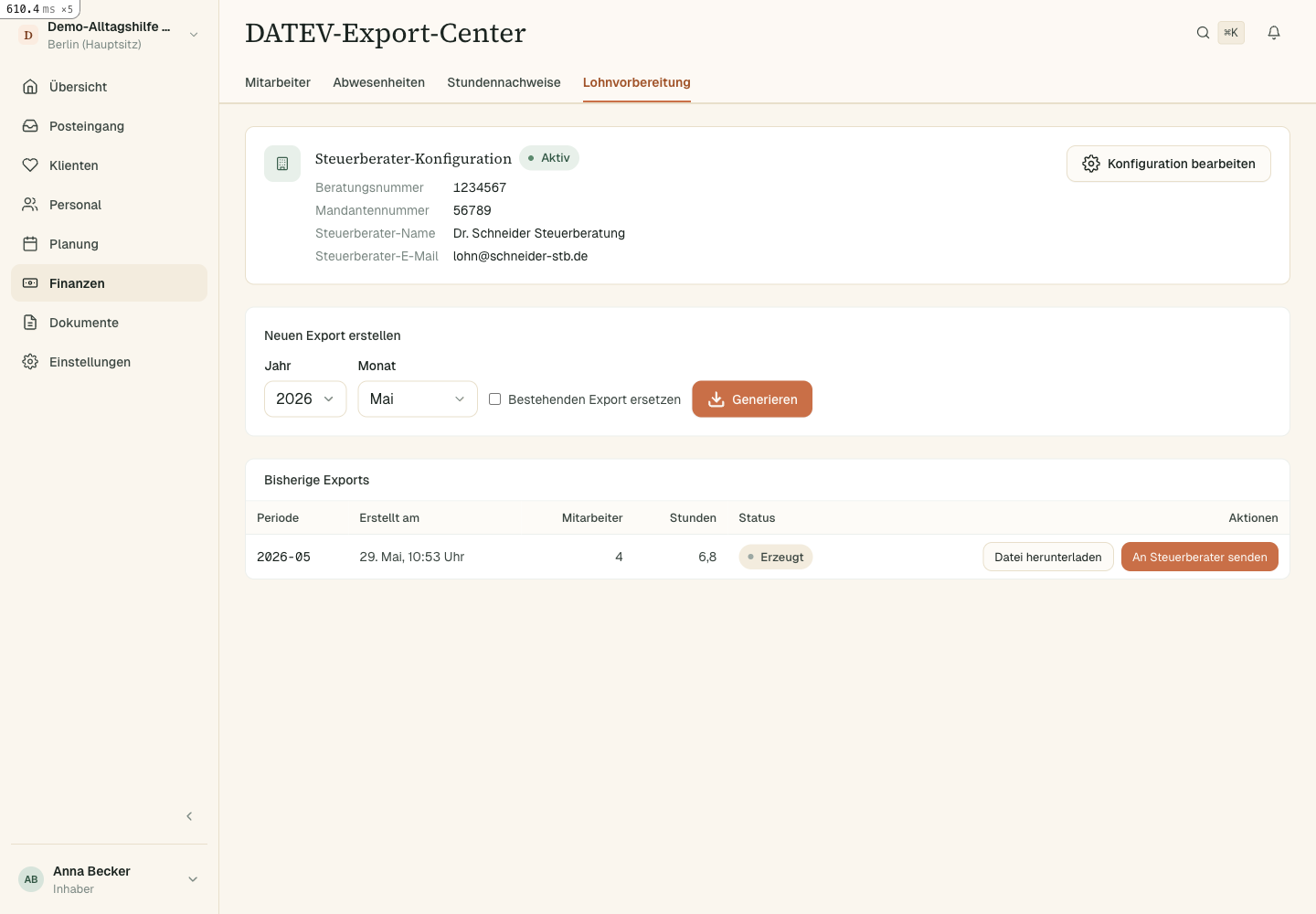
Straight to your Steuerberater.
Pick a month, generate — Aldor builds the DATEV LODAS batch with all hours and premiums. Download it or send it straight to the advisor. No Excel lists.