The customer portal
A portal of your own for your customers.
A portal in your brand — customers see when the Helfer arrives, how much of their budgets is left, and can request reschedules themselves. Every request lands with you; nothing goes out before you approve.
Familie Müller
Sonnenschein Alltagshilfe
Karin is 12 min away
Sonnenschein Alltagshilfe · accompaniment
Relief budget · April
43 € / 125 €
€82 remaining
Recent and upcoming visits
-
Mo · 14:00 · 1,5 Std
Hauswirtschaft
-
Fr · 10:00 · 2 Std
Begleitung · Einkauf
-
Mi · 14:00 · 1 Std
Spaziergang
What families see on their phones
This is how your customers benefit from you using Aldor.
Five functions that replace a call to you on a normal day — from the arrival time to the signed proof of service.
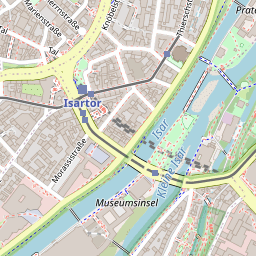
01 · Live arrival
Karin is almost there.
 © OpenStreetMap
If you choose to use this feature, clients can see when their team member is arriving.
02 · § 45b in real time
€184 left in April.
Remaining budgets in real time.
03 · Self-reschedule
Reschedule and cancel.
Families file requests instead of calling. A request becomes a visit only when you say yes.
04 · Signed visits
What happened — on the record.
- 17 April · 14:00 Karin · accompaniment walk signed
- 15 April · 09:30 Anna · household signed
- 12 April · 14:00 Karin · accompaniment doctor signed
Every visit in the history, with date and helper. Families see what happened — and can look it up later.
05 · Multiple logins per client
The whole family has access.
- Daughter Sabine — full access
- Son Markus — visits and budget
- Mother Müller — own calendar
Daughter in Hamburg, son in Munich — same view, same data. Sign-in by email and verification code, no password at all.
How it works
From client record to portal access.
As soon as you create the customer with their contact details in Aldor, they receive an email inviting them to the customer portal.
-
01 You add the client.
Name, email or mobile number — same as today. Aldor sends the invitation automatically.
-
02 Your customer receives an invitation.
From your domain (kunden.your-brand.de), in your brand.
-
03 The customer signs in.
Sign-in by email and verification code — in the browser, no app and no password.
Common questions.
Do family members have to install an app?
How many family members can get access?
Do families see the Helfer's location in real time?
Get started
Let's talk briefly.
A demo takes at most thirty minutes. We'll show you the most important features.